
IPHONE + APPLE WATCH

Your location.
Radio ready.

Describe your position with street names, relative direction and distance. Prepare local street data on iPhone, then keep a reference available on iPhone or Apple Watch.

An independent reference aid. Verify location against your surroundings and official procedures.

Features and appearance vary by installed version. Metro Library and automatic coverage guidance describe newer builds; check your version before use.

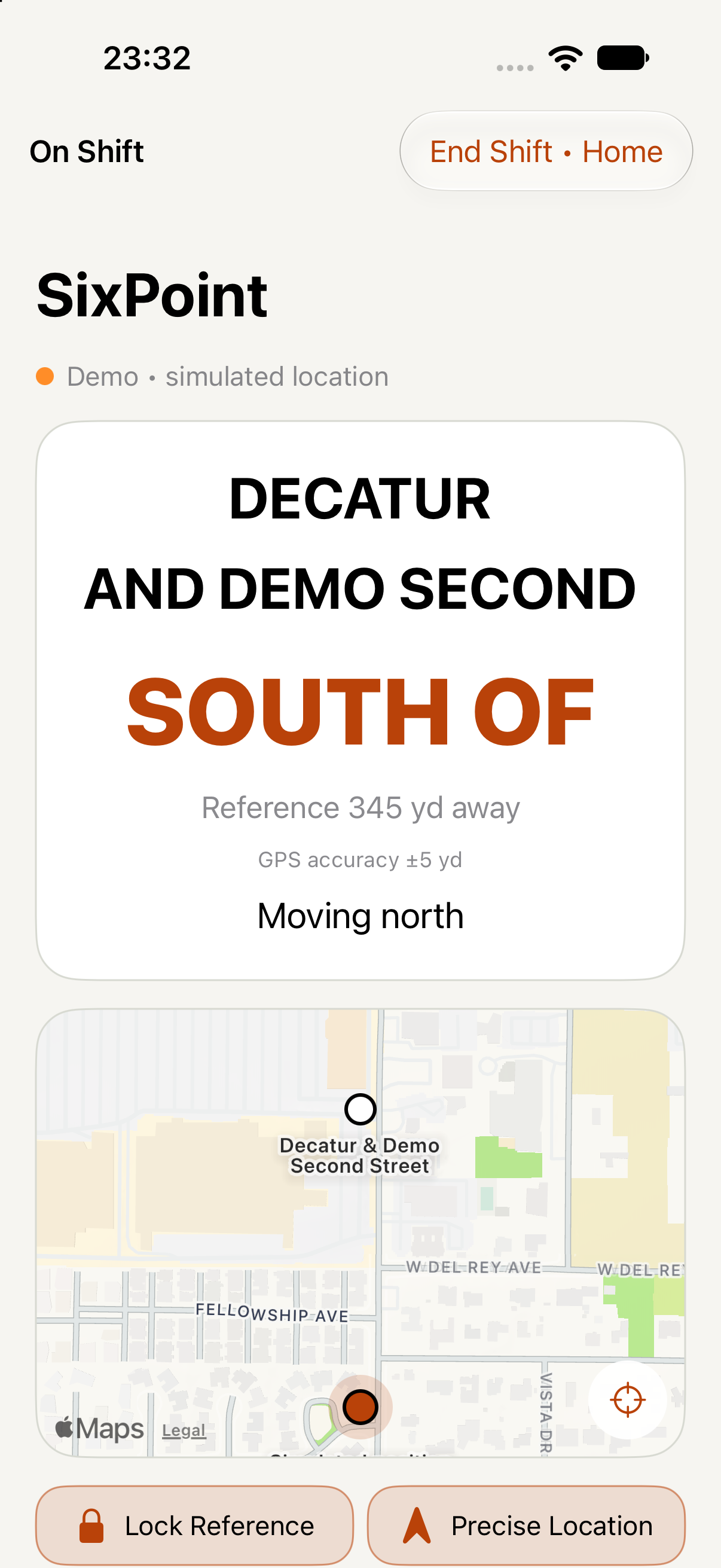
ACTUAL APP / BUILD 63IPHONE DEMO MODE
SixPoint iPhone demo showing Decatur and Demo Second, SOUTH OF, distance and GPS accuracy

Real interface. Simulated position.
Not a field-accuracy validation.

LOCAL STREET DATAGPS-AWARE REFERENCESIPHONE + WATCHDAY / NIGHT ON IPHONE

01 / FOR INDIVIDUAL OFFICERS

Know your reference.
Keep your focus.

SixPoint brings local street geometry and device GPS into a clear reference view. Prepare your coverage before the shift and learn the readout with the simulated demo.

01

Prepare your working area

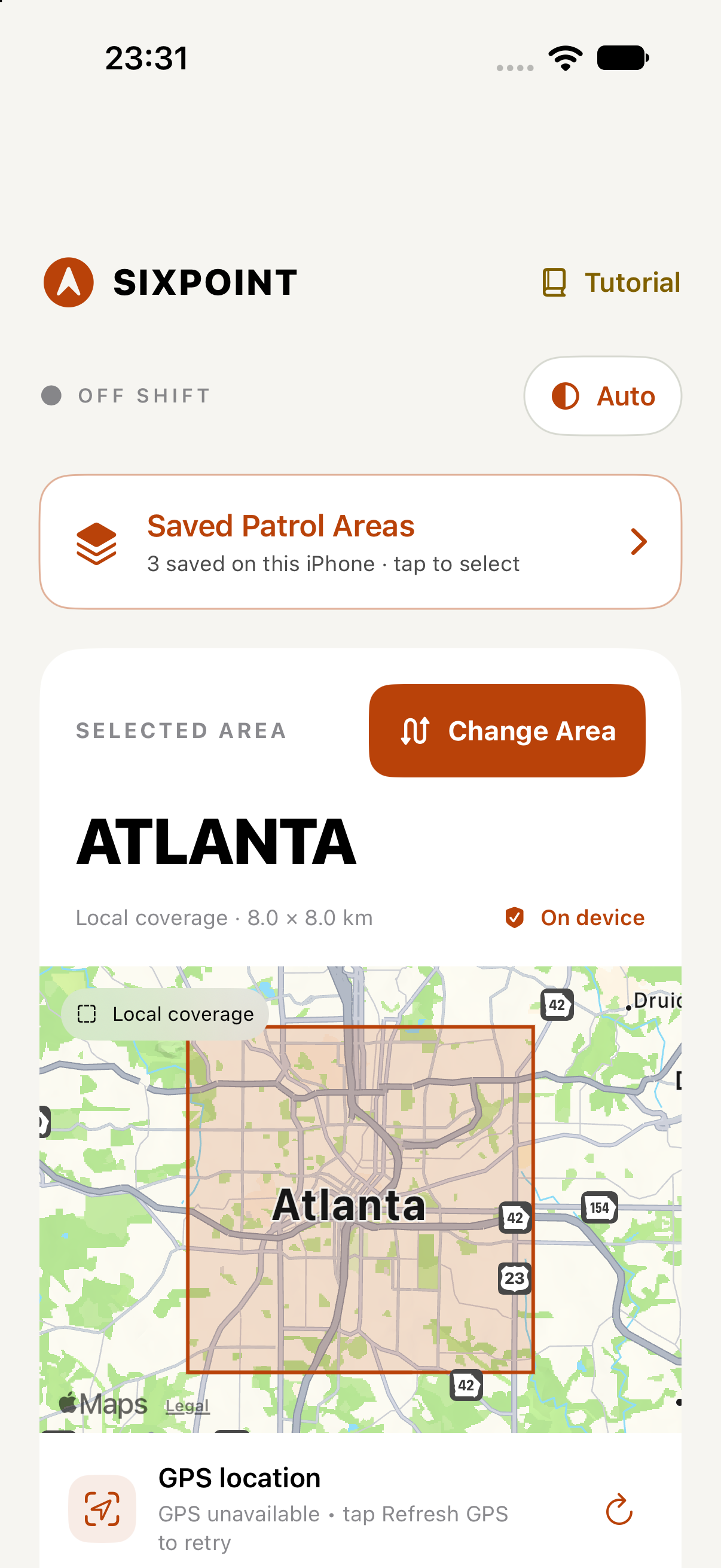
Choose from the included iPhone Metro Library, select saved coverage, or search for another U.S. area. Review the local bounds before use. An included metro is source data for local areas, not a promise of complete city coverage.
02

Read the streets around you

See a mapped junction reference, relative position, distance and reported GPS accuracy. Uncertain GPS and missing coverage are surfaced in the app. A reference does not establish that a turn or crossing is legal.

03

Carry the reference on your wrist

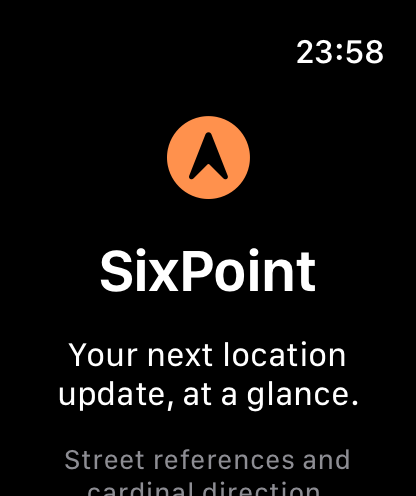
Send a smaller local street-data area from iPhone to Apple Watch, wait for its saved receipt, then select it on Watch. Each device has its own saved coverage and selection.

SEE THE WORKFLOW / A QUICK WALKTHROUGH

From working area
to street reference.

Explore three actual screens captured from version 1.0.1, Build 63 in the simulators. These are app screenshots, not a live location feed or a recorded field test. Appearance and features may differ in the public App Store release.

Review the selected area’s local bounds and source information before use. The Atlanta selection shown is unreviewed and is not validated city coverage.

Read setup guidance ↗

PREPARE → VERIFY → PATROL

Built around
your working area.

Saved street references work offline within their loaded bounds.

Map imagery, address lookup, search and new downloads may need internet. The app uses GPS freshness, accuracy and coverage checks before displaying a reference.

Understand coverage
Before a live shift

Review the area, confirm a fresh GPS fix and become familiar with the controls. Live shifts require active subscription access. Apple displays current pricing and eligibility in the app.

02 / FOR AGENCIES

Evaluate it
on your terms.

Start a conversation about fit, licensing and a controlled evaluation. Agency terms, deployment arrangements and any pilot scope are agreed individually.

Annual licensing inquiries are welcome. Availability, scope and pricing require a separate agreement; no annual price or purchase entitlement is offered here.

PILOT DISCUSSION

A focused pilot.
Clear review criteria.

Discuss a limited evaluation before considering broader use. Geographic boundaries, test conditions, duration, participant count, availability and pricing are agreed case by case; submitting an inquiry makes no commitment.

  1. 01
    Define the use case

    Identify participating roles, iPhone/Watch versions, intended workflow and an evaluation lead. Do not submit operational or case information.

  2. 02
    Agree on the scope

    Agree on the local test area, duration and success criteria. Review source completeness, GPS uncertainty, offline bounds and agency policy before any operational evaluation.

  3. 03
    Review the results

    Record readability, workflow fit, coverage gaps and device/battery observations. SixPoint has not established agency-specific coverage or field-performance validation.

Request a pilot

An inquiry does not enroll your agency or commit you to a purchase. No agency approval or endorsement is implied.

03 / SUPPORT

Questions before
or after your shift?

Find guidance on coverage, GPS, Apple Watch setup and subscriptions, or contact SixPoint directly.

Visit support

QUICK ANSWERS

Before your
first shift.

Complete support guidance ↗
What works offline?

Saved road and junction references work inside loaded local bounds. Search, downloads, map imagery and address lookup may require internet.

Which areas are available?

The app supports local street-data preparation and U.S. area search. Included metro packages vary by version and are not a guarantee of whole-city coverage or street completeness. Check the saved bounds and source date before use.

Can I use Apple Watch?

SixPoint includes a Watch app. Local area transfers require a paired compatible iPhone and Watch; select the saved area on Watch after its receipt. Review current device and OS requirements on the verified App Store listing.

Is a subscription required?

Live shifts require active subscription access. Apple displays current price, renewal terms and eligibility in the app. Agency arrangements are discussed separately.

What are the GPS limitations?

GPS can be stale, uncertain or unavailable. Buildings and other conditions can affect it. SixPoint is a reference aid, not a guarantee of location accuracy or emergency performance.

How do I contact support?

Email support@sixpointpatrol.com with your app build, device and OS version. Do not send operational, incident, personnel or criminal justice information.

A reference aid.
Your judgment comes first.

SixPoint is not a replacement for dispatch, verified location information or official procedures. Street data may be incomplete or inaccurate. Local coverage rectangles are not jurisdiction or agency command boundaries. No affiliation, approval or endorsement by any law enforcement agency is claimed.

Read all disclosures